Minecraft Server Performance: The Complete Optimization Guide
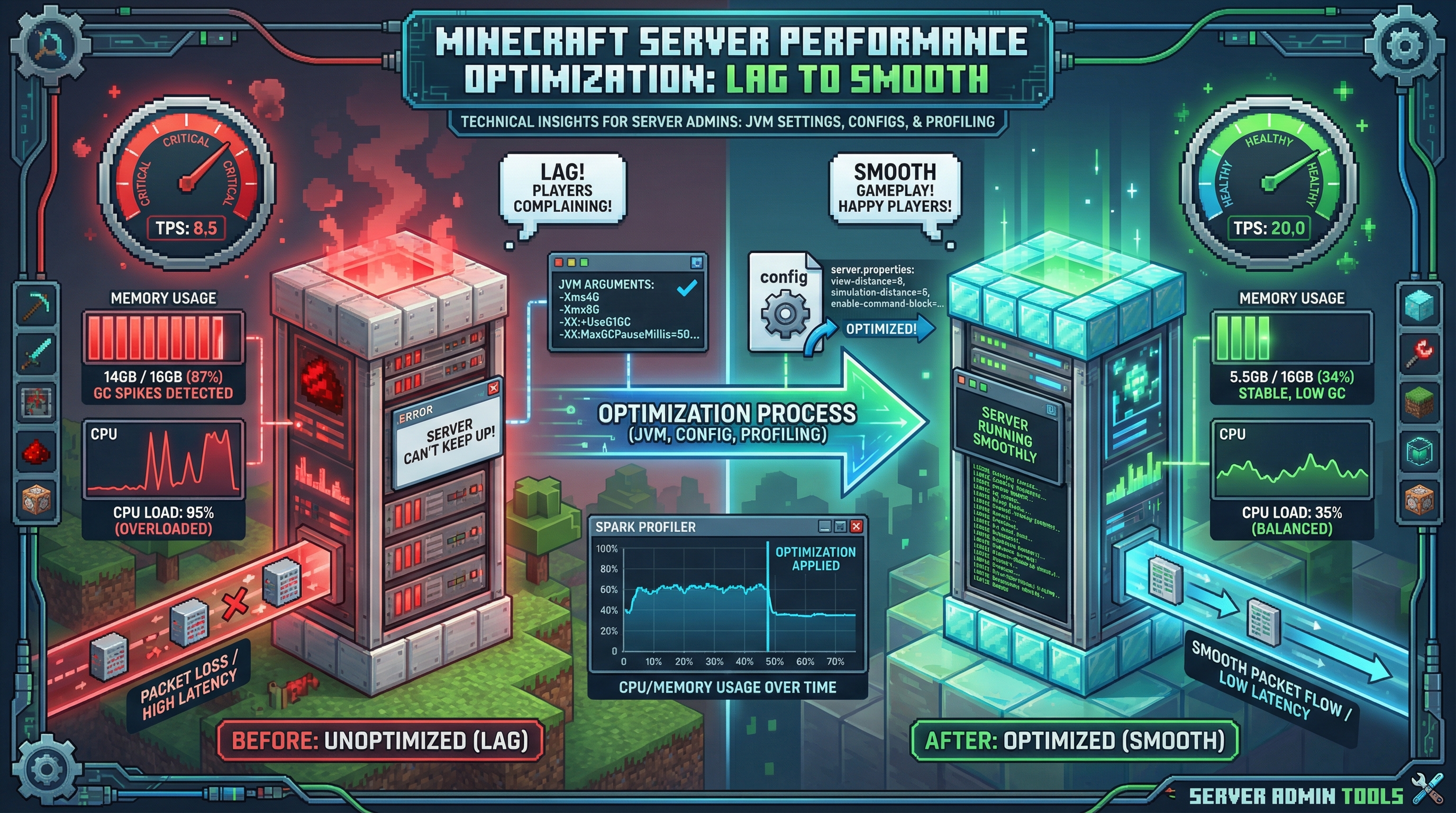
Your server is lagging. Players are complaining. TPS is dropping to single digits during peak hours. You've tried "more RAM" but it didn't help.
Here's the truth: Most Minecraft server lag isn't about hardware. It's about configuration. This guide shows you exactly how to fix it.
Understanding TPS and Lag
TPS (Ticks Per Second) is the server's heartbeat. Minecraft aims for 20 TPS—meaning 20 game updates per second. When TPS drops:
- 18-20 TPS: Healthy. Players won't notice anything.
- 15-18 TPS: Slight delays. Redstone might act weird.
- 10-15 TPS: Noticeable lag. Block breaking feels slow.
- Under 10 TPS: Unplayable. Players will leave.
Optimizing server.properties
Start with these settings:
# Reduce view distance (biggest impact)
view-distance=8
simulation-distance=6

# Limit entity processing
max-tick-time=60000

# Network optimization
network-compression-threshold=256
View distance is the single biggest performance lever. Each chunk loaded consumes memory and CPU. Going from 10 to 8 can improve performance by 30%.
Paper-Specific Optimizations
If you're using Paper (and you should be), these configs in paper-world-defaults.yml help:
# Delay chunk loading for new players
delay-chunk-unloads-by: 10s

# Optimize redstone
redstone-implementation: ALTERNATE_CURRENT

# Reduce entity AI calculations
per-player-mob-spawns: true
JVM Startup Flags
The right JVM flags make a significant difference. Use Aikar's flags—they're the community standard:
java -Xms10G -Xmx10G -XX:+UseG1GC -XX:+ParallelRefProcEnabled \
  -XX:MaxGCPauseMillis=200 -XX:+UnlockExperimentalVMOptions \
  -XX:+DisableExplicitGC -XX:+AlwaysPreTouch \
  -XX:G1NewSizePercent=30 -XX:G1MaxNewSizePercent=40 \
  -XX:G1HeapRegionSize=8M -XX:G1ReservePercent=20 \
  -XX:G1HeapWastePercent=5 -XX:G1MixedGCCountTarget=4 \
  -XX:InitiatingHeapOccupancyPercent=15 \
  -XX:G1MixedGCLiveThresholdPercent=90 \
  -XX:G1RSetUpdatingPauseTimePercent=5 \
  -XX:SurvivorRatio=32 -XX:+PerfDisableSharedMem \
  -XX:MaxTenuringThreshold=1 -jar paper.jar nogui
Important: Set -Xms and -Xmx to the SAME value. This prevents the JVM from constantly resizing the heap.
Common Lag Causes and Fixes
Too Many Entities
Mob farms, item drops, and armor stands add up. Use CoreProtect or Spark to identify entity-heavy chunks, then add limits.
Chunk Loading Storms
Players flying with elytras or teleporting rapidly causes chunk loading spikes. Limit flight speed or add teleport cooldowns.
Plugin Conflicts
Some plugins don't play well together. Use Spark to profile which plugins consume the most tick time, then optimize or replace them.
How Vibeforge Optimizes Performance
Vibeforge generates servers with these optimizations pre-configured. No manual tweaking required—just describe your server and get production-ready performance.
Join the Vibeforge waitlist for optimized servers from day one.
Frequently Asked Questions
Does more RAM always help?
No. Beyond 10-12GB for most servers, more RAM causes longer garbage collection pauses. Focus on optimization before adding RAM.
Should I use Paper or Spigot?
Paper. It includes all Spigot optimizations plus its own. There's no reason to use Spigot in 2026 unless you need specific Spigot-only plugin compatibility.
How do I find what's causing lag?
Install Spark and run /spark profiler. It shows exactly what's consuming server resources. Share the report with your community for help.
Ready to build a server or world?
Join the waitlist for early access. Pick a workload, start from a template, and iterate by chatting.